


Trezor vs. Ledger 2026: Which Hardware Wallet Is Best for Your Crypto?
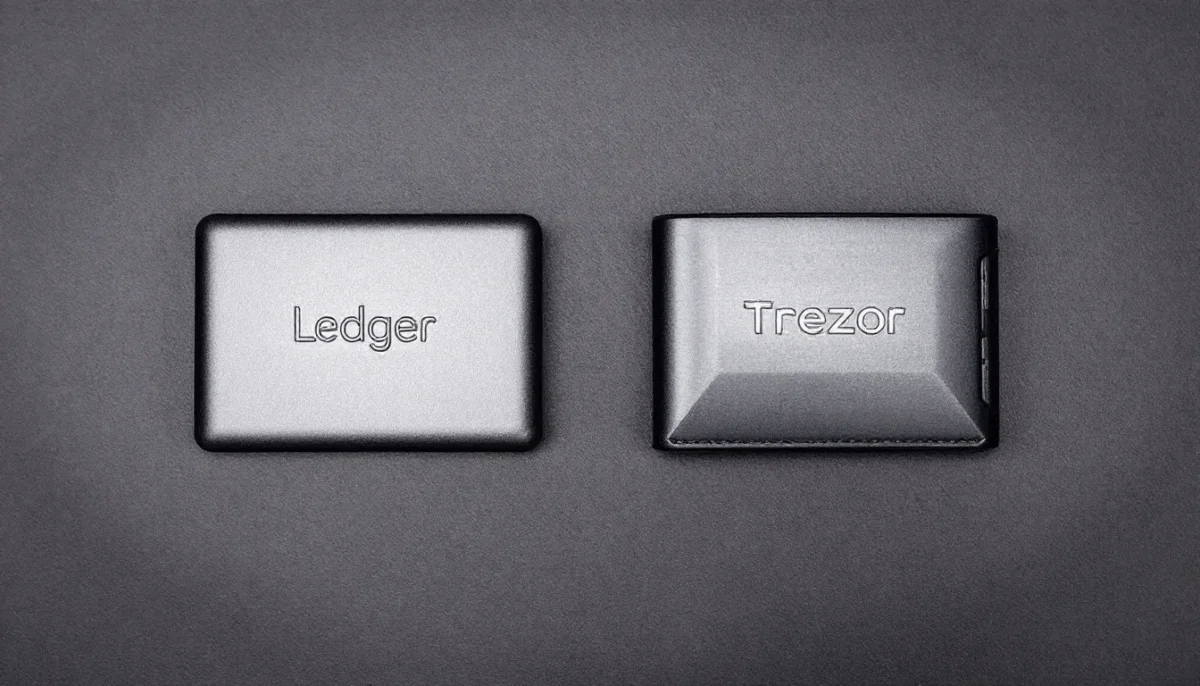
Ledger and Trezor remain the two leading names within hardware crypto wallets. Both offer strong protection, but their approaches differ: Ledger emphasizes physical security and mobile convenience, while Trezor champions open-source transparency and advanced recovery options.
Cryptocurrency security remains the top priority for investors. With hacks, phishing scams, and regulatory pressures on the rise, the need for hardware wallets is greater than ever. Unlike hot wallets that remain connected to the internet, cold storage devices like Ledger and Trezor keep your private keys offline, dramatically reducing the risk of theft.
In this article, we’ll compare Ledger vs. Trezor across security architecture, usability, backup systems, supported assets, pricing, and real-world performance to help you choose the right wallet for protecting your digital wealth. Discover which hardware wallet is the best for you.
▪️Security approaches differ: Ledger uses proprietary firmware with CC EAL5+ and CC EAL6+ secure elements; Trezor’s newer Safe 3 and Safe 5 now feature EAL6+ secure elements while remaining fully open-source.
▪️Ledger dominates mobile: Nano X, Flex, and Stax offer Bluetooth connectivity for seamless iOS/Android use; Trezor requires USB-only connections.
▪️Trezor wins on transparency: Being fully open-source the firmware allows independent security audits.
▪️Advanced backup options: Trezor’s Shamir Backup (Safe 5) splits the recovery seeds into multiple shares for distributed storage, while Ledger uses standard 24-word phrases plus optional Ledger Recover subscription.
▪️Price range: Entry-level options start at $59 (Trezor Safe 3 and Ledger nano S Plus) and $99 (Ledger Nano X). However, premium Trezor or Ledger models reach $249/$399 (Safe 5/Ledger Stax).
▪️Best for different users: Choose Ledger for mobile convenience, diverse portfolios, and native staking. Go for Trezor for open-source principles, advanced backup, and budget-friendly options.
Quick Comparison: Trezor vs. Ledger in 2026
We compared the best-rated models that Trezor and Ledger offer. We considered their affordability, supported assets, displays, and security features. Navigate through the tabs to contrast the information and make an informed decision before investing.
💻Desktop/ Mobile Support: Android, Mac, Windows, Linux/ iOS
✅Security Features: Clear Signing, Transaction Check, 2FA
📱Display size: 2.5″
📱Display Type: High-res color touchscreen
📱Screen Protection: Gorilla Glass 3
🛡️Secure Element: Certified EAL6+
🔐Special Security: Dual Secure Element architecture, Quantum-ready, Auditable
🛜 Connectivity: USB-C, Bluetooth
💻Desktop/ Mobile Support: Android, Mac, Windows, Linux/ Limited iOS
✅Security Features: Passphrase protection, Tor identity protection, 2FA
📱Display size: 1.54″
📱Display Type: Color touchscreen
📱Screen Protection: Gorilla Glass 3
🛡️Secure Element: Certified EAL6+
🔐Special Security: DEAL6+ NDA-free chip
🛜 Connectivity: USB-C only
💻Desktop/ Mobile Support: Android, Mac, Windows, Linux/ Limited iOS
✅Security Features: Passphrase protection, Tor identity protection, 2FA
📱Display size: 0.96″
📱Display Type: Monochromatic
📱Screen Protection: No
🛡️Secure Element: Certified EAL6+
🔐Special Security: EAL6+ chip
🛜 Connectivity: USB-C only
💻Desktop/ Mobile Support: Windows 10+, macOS 12+, Ubuntu LTS 20.04+/ Android 9+ only
✅Security Features: –
📱Display size: 1.1″
📱Display Type: Monochrome OLED
📱Screen Protection: Plastic screen cover
🛡️Secure Element: CC EAL6+
🔐Special Security: CC EAL6+ certified
🛜 Connectivity: USB-A to USB-C
💻Desktop/ Mobile Support: Windows 10+, macOS 12+, Ubuntu LTS 20.04+/ Full (Android 9+, iOS 13+)
✅Security Features: Clear Signing, Transaction Check
📱Display size: 2.8″
📱Display Type: Monochrome E Ink touchscreen
📱Screen Protection: Scratch-resistant glass with anti-glare coating
🛡️Secure Element: CC EAL6+
🔐Special Security: CC EAL6+ certified
🛜 Connectivity: USB-C, Bluetooth, NFC
💻Desktop/ Mobile Support: Windows 10+, macOS 12+, Ubuntu LTS 20.04+/ Full (Android 9+, iOS 13+)
✅Security Features: Clear Signing, Transaction Check
📱Display size: 2.8″
📱Display Type: E Ink touchscreen (16 grayscale)
📱Screen Protection: Gorilla Glass with anti-glare coating
🛡️Secure Element: CC EAL6+
🔐Special Security: CC EAL6+ certified
🛜 Connectivity: USB-C, Bluetooth, NFC
Always visit the official websites if you want to buy any of these hardware crypto wallets. Explore more signer options by clicking on the links below:
Security Architecture: Two Different Angles
Ledger historically offered stronger physical security with its Secure Element, but both Ledger and Trezor now use secure element chips in their newer models. The key difference remains transparency: Trezor’s fully open-source firmware versus Ledger’s proprietary approach.
| 🔐 Trezor’s Transparency-First Approach | 🔐 Ledger’s Hardware-First Approach |
| Trezor’s software is open-source, meaning its code is publicly accessible for review and scrutiny. It keeps the open-source nature of its Safe 5 model despite integrating a Secure Element chip, which is typically associated with proprietary technology. In 2026, the Safe 5 employs the NDA-free EAL 6+ Secure Element, along with PIN and passphrase protection, to defend against both online and offline threats. Trezor achieved this by signing an NDA-free agreement with its chip providers, enabling it to maintain transparency and inform its users of any issues related to the Secure Element hardware. | Ledger employs a dual-layer security architecture that incorporates a secure element chip similar to those used in passports and credit cards. This design offers robust protection against both physical and digital threats. The CC EAL5+ certification means the chip has undergone rigorous independent testing to withstand sophisticated attacks, including side-channel exploits and physical tampering. While Ledger’s internal software is closed source, it’s been praised for its strong security. Ledger devices have never been hacked. |
| Trezor security: 9/10 | Ledger security: 9/10 |
Now, let’s contrast each security feature in depth. Find everything related to chip security, backup options, transparency, audits, and scam and phishing protection, along with incident track records, in the following sections.
Chip Security
Trezor’s approach prioritizes transparency and verifiability. Its devices combine open-source firmware with a Secure Element that enforces PIN checks and confirms genuine hardware, while all critical logic, such as seed generation, UI, and account handling, remains fully auditable.
The Safe 5 strengthens this model with a publicly documented, NDA-free chip that researchers can independently inspect. This adds a robust hardware defense against physical attacks, preventing key extraction or PIN bypass if the device is stolen.
The Safe 7 goes further by pairing CC EAL6+ certification, demonstrating resistance to advanced techniques such as fault injection and side-channel attacks—with TROPIC01, the first auditable Secure Element built on an open architecture, offering maximum transparency without sacrificing high-grade protection.
Ledger, by contrast, emphasizes hardened isolation and certified security. Its wallets rely on an EAL6+ Secure Element similar to those used in credit cards and biometric passports, keeping private keys permanently offline. The Ledger Nano X is the only signer with a CC EAL5+ chip.
This chip powers Ledger’s Secure OS and fully isolated screens, ensuring transaction details cannot be altered or hijacked by malware. Designed to resist both physical tampering and remote attacks, Ledger’s architecture combines secure hardware, offline key storage, and Clear Signing verification to protect assets even if the device is lost or compromised.
Backup and Recovery Alternatives
Trezor Safe 5 uses the SLIP-39 backup standard by default, with a 20-word mnemonic, as a Shamir Secret Sharing backup system. You can choose a single-share (1-of-1) or a multi-share backup. SLIP39 lets you split your seed into up to 16 recovery shares with a set threshold; for example, “2-of-3” means 3 shares created, 2 required. This adds redundancy: lose one share, you still recover.
Trezor Safe 3 offers multiple recovery methods, including standard 12-, 20- and 24-word seed phrases, as well as advanced Multi-Share Backup (Shamir Backup). These options provide flexibility and enhanced security for backing up and recovering your wallet, ensuring access to your assets even if the device is lost or damaged.
Ledger uses the standard 24-word BIP39 recovery phrase. All Ledger touchscreen signers include a durable Secure Element & PIN-protected backup card, a Ledger Recovery Key, and 3 Recovery Sheets. They are also compatible with the Ledger Recover subscription service to keep you in full control at all times.
Scam and Phishing Protection
Trezor has no ability to deactivate or disable your hardware wallet; it claims that your device will be “blocked” unless you complete KYC, account actions, or “security updates” are unequivocally scams. Legitimate communications from Trezor will never ask for your wallet backup, PIN, passwords, or 2FA codes, and you should treat urgent or threatening messages as phishing attempts, especially those leveraging AI-generated text, voice, or video to impersonate support.
Trezor Suite includes a protective mechanism that flags and blurs transactions that resemble address-poisoning scams, marking them as unverified to help you avoid interacting with them.
Always verify transaction details and addresses on your device’s trusted display and only use official Trezor Suite downloads and support channels to reduce the risk of falling for fraud.
Ledger, on the other hand, provides a security framework centered on its Secure Element and Clear Signing initiative. It ensures that users see fully human-readable transaction details on the device before approving them.
In 2025, Ledger released a Generic Parser for the ERC-7730 standard, so that any dApp providing appropriate metadata can automatically offer Clear Signed transactions. The Clear Signing is designed to give you clear intent on what you’re authorizing and is par
Ledger will never ask for your recovery phrase or claim to deactivate your device—and to interact only through official channels.
Have Trezor and Ledger Ever Been Hacked?
Any of these wallets has experienced remote hacks (the extraction of private keys directly from a physical device or signer), and that’s the main reason why we praise their security, the most important criterion. Nonetheless, they were targeted and experienced customer data breaches. Hackers stole Ledger customers’ data in 2020, and Trezor was the victim of a larger phishing attack in 2025.
Supported Crypto Assets
While Trezor officially supports more than 8,000 cryptocurrencies, users have complained that the wallet doesn’t support common altcoins like ATOM and DOT. In addition, users have said that Trezor is slow to add new cryptocurrencies.
However, Trezor’s latest wallet supports over 9,000 coins and tokens, including Bitcoin, Ethereum, Cardano, Ripple, BNB, and all ERC-20 tokens. Recently, the Safe 5 added support for Solana and all SPL tokens.
Trezor offers a straightforward, intuitive interface that’s great for newcomers to cryptocurrency. However, it requires additional software integrations for advanced functionalities like staking and managing NFTs.
Ledger wallets support 15,000+ digital assets across 50+ networks, including Bitcoin, Ethereum, Ripple, and Binance Smart Chain. You can also invest in DeFi tokens, such as Wrapped Bitcoin (WBTC), Uniswap (UNI), Aave (AAVE), and Chainlink (LINK).
Ledger provides a more integrated experience with its Ledger Live platform. This software enables direct access to a range of features, including staking, NFT management, and interaction with decentralized applications, all without the need for third-party software.
| Trezor: 7.5/10 | Ledger: 8.5/10 |
Ledger vs. Trezor: Mobile or Desktop? UX & Interface
Ledger provides a full mobile application on iOS and Android. Bluetooth is available on almost all signers, except for the Ledger Nano S Plus, which only allows USB-A to USB-C connectivity. This wireless connectivity makes the Nano X and premium models particularly attractive for users who manage crypto on the go.
As for Trezor, it deliberately avoids wireless features and relies solely on USB connections. Trezor relies on desktop software and browser-based access, with limited mobile support.
Both brands are compatible with Linux, Windows, and Mac computers, but Trezor can connect to Android devices only via the mobile browser, while Ledger provides a mobile app for both iOS and Android.
| 🛜 Ledger Compatibility and UX | 🛜 Trezor Compatibility and UX |
| Ledger wins for mobile users and those who value wireless connectivity. Ledger Nano X supports Bluetooth pairing, allowing seamless use with Ledger Live mobile apps on iOS and Android. The devices use physical buttons and pair with Ledger Live. It is functional but less intuitive. | Trezor is better for users who prefer wired-only connections for added security and peace of mind. Trezor supports only USB connections, making it less convenient for mobile-first users. It features a color touchscreen, making it easier for beginners to navigate. |
| Ledger: 8/10 | Trezor: 9/10 |
Which Wallet is Best for You?
Both Trezor and Ledger are suitable alternatives to hardware wallets with proven security records. However, the “best” wallet depends entirely on your investor profile, technical expertise, and how you interact with cryptocurrency. Here’s how each brand serves different user types based on their unique needs and priorities.
| Your Profile | Best Wallet | Key Reason |
|---|---|---|
| Budget-Conscious Beginner | Trezor Safe 3 | Lowest price with full security |
| Mobile-First Trader | Ledger Nano X/Flex | Bluetooth + native mobile features |
| Privacy Advocate | Trezor Safe 5/7 | Open-source + NDA-free Secure Element |
| Long-Term HODLer | Trezor Safe 5 | Shamir Backup redundancy |
| NFT/DeFi Power User | Ledger Flex/Stax | Clear Signing + integrated ecosystem |
| Bitcoin Maximalist | Trezor Safe 3/5 | Bitcoin-only firmware + coin control |
| Security Expert | Either (based on philosophy) | Transparency vs. proven hardware |
| Crypto Skeptic | Trezor Safe 3 | Minimal investment to test waters |
| Professional Consultant | Both brands | Comprehensive client service |
What Are Crypto Wallets?
A crypto wallet is a key-management and transaction-signing system rather than an asset container. Assets remain native to their respective blockchains at all times; the wallet’s sole authority comes from controlling the private keys (or key shares) that generate valid cryptographic signatures. These signatures authorize state changes on-chain, such as transfers, contract calls, approvals, and staking actions, without ever moving assets “into” or “out of” the wallet itself.
Modern wallets like Trezor and Ledger also act as secure execution and verification layers: they isolate keys, parse transaction data, enforce user intent (clear signing), and mitigate attack vectors such as blind signing, address poisoning, and malicious contract interactions. The real differentiator between wallet types is not asset custody but how keys are generated, stored, isolated, audited, and verified across hardware, firmware, and user interaction layers.
There are different types of crypto wallets, each with unique features and security protocols. Choose the wallet type that matches your purposes and security requirements.
What Type of Crypto Wallets Are Trezor and Ledger?
Trezor and Ledger are non-custodial hardware wallets, also known as cold wallets. They are physical devices designed to generate, store, and protect private keys offline, isolating them from internet-connected environments. This makes them fundamentally different from software wallets and custodial platforms, where keys may be exposed to malware or controlled by third parties.
They fall under non-custodial wallets, meaning you retain full control of your private keys, unlike custodial wallets, where an exchange or service holds keys on your behalf. They are also commonly used as secure signers for decentralized wallets for crypto and dApps, acting as the security layer while interacting with DeFi protocols.
While they don’t provide anonymity by default, they can be paired with privacy-focused practices and networks and are often compared alongside anonymous cryptocurrency wallets for users prioritizing self-sovereignty and reduced identity exposure.
📌 Read more about this topic in our non-custodial wallets guide.
Final Thoughts
Both Ledger and Trezor remain industry leaders in crypto security.
✅ Ledger excels in hardware security, mobile usability, and broad asset support, making it the go-to for frequent users and investors with diverse portfolios.
✅ Trezor embraces transparency, open-source philosophy, and advanced recovery options, appealing to developers, privacy advocates, and those who prioritize simplicity.
Ultimately, the right choice depends on your priorities: if you want maximum coin support and mobile convenience, Ledger wins. If you want full transparency and flexible backup features, Trezor could be the ideal crypto wallet for you.
FAQs About Trezor vs. Ledger
Ledger provides stronger physical security with its Secure Element chip. Trezor, however, offers full transparency with open-source firmware. Both are secure, but your choice depends on whether you prioritize hardware-level protection or software openness.
Yes. Both Ledger and Trezor support NFTs through their respective apps (Ledger Live, Trezor Suite) or integrations like MetaMask. Ledger provides a more integrated experience.
Yes. Ledger supports 5,500+ assets, while Trezor supports ~1,200 as of 2025.
Yes. Ledger no longer stores customer emails by default and has tightened privacy practices. No private keys were compromised in the breach.
Trezor Model T, thanks to its intuitive touchscreen, is ideal for first-time users. Ledger Nano S Plus is also a beginner-friendly budget pick.