


Best Crypto Wallets of 2026: Expert Reviews & Security Tips
We believe in full transparency with our readers. Some of our content includes affiliate links, and we may earn a commission through these partnerships. However, this potential compensation never influences our analysis, opinions, or reviews. Our editorial content is created independently of our marketing partnerships, and our ratings are based solely on our established evaluation criteria.
Crypto wallets store the private keys that prove ownership of your digital assets on the blockchain. Choosing the wrong one exposes you to real risks — exchange hacks accounted for over $3.4 billion in crypto theft in 2025 alone, and lost seed phrases mean permanently lost funds with no recovery option.
We evaluated 50+ wallets across hot, cold, and hybrid categories, scoring each on security architecture, supported chains, audit history, recovery options, and price-to-value ratio. The eight wallets in this guide are the ones that performed best under those criteria.
Our top picks: Best Wallet for no-KYC mobile trading across 60+ chains, Ledger Nano X for EAL5+-certified cold storage with Bluetooth, and Zengo for MPC-based security that eliminates seed phrases entirely. Which one fits you depends on your holding size, transaction frequency, and whether you prioritize privacy, convenience, or maximum offline protection. The reviews below break down each wallet’s security model, supported assets, costs, and ideal use case.
Key Takeaways:
- Top Recommendations: Best Wallet is the top mobile/hot wallet choice for active traders, while Ledger Nano X remains the industry standard for hardware (cold) security.
- Security Innovation: New technologies like MPC (Multi-Party Computation), used by Zengo, and Seed-Splitting, used by Cypherock, are removing the traditional risks associated with losing a single seed phrase.
- Hot vs. Cold Trade-off: Software (hot) wallets offer better DeFi/trading convenience but higher hack risks; hardware (cold) wallets offer maximum security for large, long-term holdings.
- The Hybrid Strategy: Most expert users use both software wallets for daily transactions and small amounts, while keeping the bulk of their assets on a hardware device.
- Privacy & Responsibility: Decentralized wallets allow for anonymous use (no KYC), but this means the user is 100% responsible; if the keys or hardware are lost, there is no “forgot password” option.
What is the Best Crypto Wallet for You in 2026? Our Top Recommendations










Main Highlights About This Article
▪️ We review eight crypto wallets that cover everything from cold storage for long-term holds to hot wallets for active DeFi users and daily trades.
▪️ Best Wallet leads our rankings for mobile users who need multi-chain support, easy swaps, and strong security in one app.
▪️ Hardware wallets like Ledger Nano X and Trezor Safe 5 keep your private keys completely offline and give you maximum security when you hold large amounts.
▪️ New tech from Zengo and Cypherock gets rid of seed phrase risks through MPC and split-key systems that protect you even if you lose one backup.
▪️ Each review explains the security setup, which coins and chains it supports, what it costs, and exactly which type of crypto user should buy it.
Top Crypto Wallets Reviewed: CoinNews Evaluation
Here’s our detailed analysis of each wallet listed above, with security breakdowns, feature reviews, and who should actually buy them.
1. Best Wallet – Best Anonymous Crypto Wallet (No KYC, Multi-Chain)
Best Wallet offers a mobile-first solution for users who want DeFi access without identity verification. The wallet combines non-custodial ownership with support across 60+ blockchains and integrates a DEX aggregator that scans dozens of exchanges to find optimal swap rates.
On top of standard features, early access to token launches and NFT mints adds value for active traders who want to get in early on the best meme coins and trending projects. At the same time, anti-fraud mechanisms detect phishing attempts before funds leave your control.
What sets it apart is the MPC technology that splits your private key into multiple shares between your device and company servers. This means neither party can access funds alone. Better yet, you recover your wallet without seed phrases, which removes one of crypto’s biggest anxiety points.
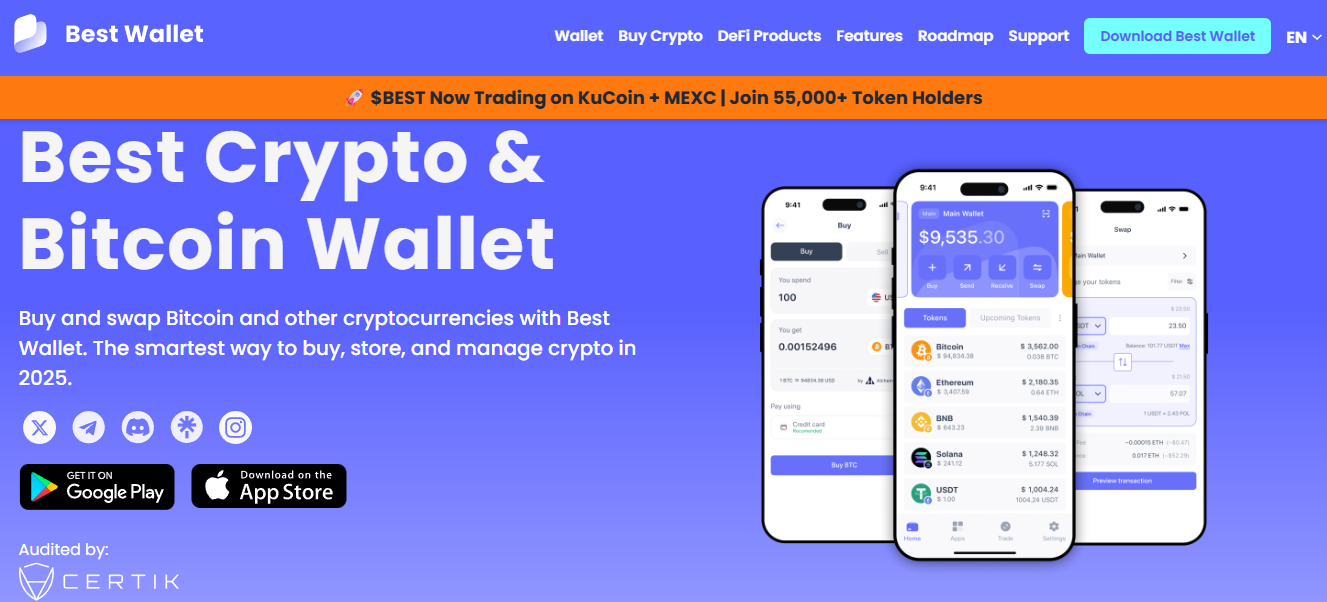
| 📱 Type | Hot Wallet (Mobile App) |
| 🔒 Security Model | MPC key shares with biometric locks |
| 💰 Price | Free |
| 🪙 Coins Supported | 60+ blockchains, which include Bitcoin, Ethereum, and Solana |
| 🎯 Best For | Active traders and DeFi users who need multi-chain swaps without identity verification |
| ✅ Pros | • You can create an account and trade immediately without submitting any identity documents • The DEX aggregator scans multiple exchanges automatically and finds you the best swap rates • Early presale access lets you buy new tokens before they reach public markets •Support for 60+ blockchains means you manage your entire portfolio from one app |
| ❌ Cons | • Keys stay online constantly, which exposes you to more hacks than cold storage optionse • Desktop users miss advanced features because the wallet focuses primarily on mobile |
Best Wallet Rating
CoinNews rates Best Wallet with a 9.8/10 for its no-KYC multi-chain access and MPC security that removes seed phrase risks. The wallet earns top marks because it delivers professional-grade DeFi tools without identity verification. That said, users should note that the platform launched recently and lacks the track record of established competitors.
Google Reviews shows a 4.4/5 score based on 34,000 reviews. Users consistently praise the responsive customer service and fast support resolution times. Some reviews mention occasional transaction delays, though the majority highlight smooth performance across chains.
2. Ledger Nano X – The Bluetooth-Enabled Industry Standard
The Ledger Nano X has dominated the hardware wallet market since 2019 because it balances serious security with daily convenience. The device locks your private keys inside a CC EAL5+ certified Secure Element chip, the same standard banks use for payment cards. All transactions happen offline, which keeps remote attackers completely locked out.
Bluetooth connectivity sets it apart from competitors. You manage assets through the Ledger Live mobile app without cables, yet every transaction still needs physical button confirmation. This approach explains why it remains Ledger’s flagship, even as the company now offers premium alternatives like the touchscreen Stax and the high-resolution Flex.
The Ledger Live app handles staking across 20+ networks, manages NFTs, and connects to MetaMask for full DeFi access. Setup takes minutes with a PIN and a 24-word recovery phrase that appears on-screen once.
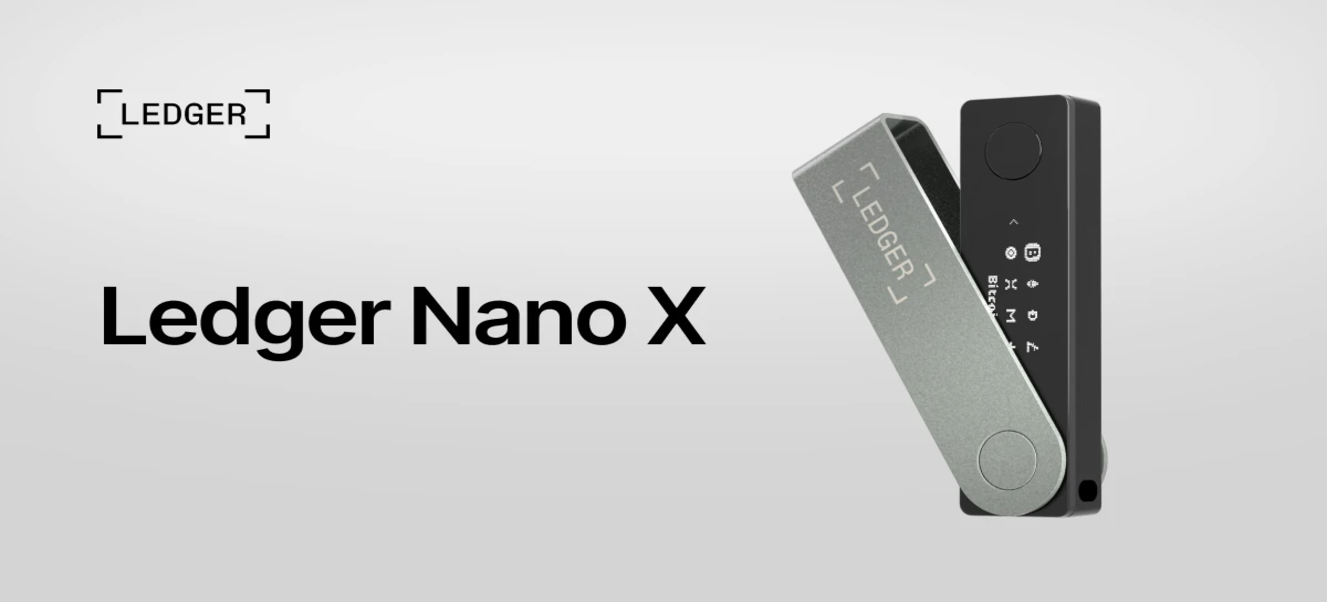
| 📱 Type | Hardware Wallet (Cold Storage) |
| 🔒 Security Model | CC EAL5+ Secure Element chip with offline signing |
| 💰 Price | $59 (Nano S Plus) $120 (Nano X) $217 (Nano Gen5) $301 (Flex) $482 (Stax) |
| 🪙 Coins Supported | 5,500+ cryptocurrencies through Ledger Live |
| 🎯 Best For | Users who want mobile-friendly cold storage with extensive DeFi access and staking options |
| ✅ Pros | • Bluetooth lets you manage crypto from your phone without cables or computer access • MetaMask and Phantom integration give you direct access to thousands of DeFi protocols • The Secure Element chip meets the same security standards that protect bank payment cards |
| ❌ Cons | • The internal battery loses capacity after 12-18 months of regular use • The small screen makes it harder to verify long addresses and complex transaction details |
Ledger Nano X Rating
CoinNews rates Ledger Nano X with an 8.4/10 due to its EAL5+ security chip and massive ecosystem support across 5,500+ assets. The score accounts for battery degradation over time and the 2020 customer data breach that continues to fuel phishing attempts. Still, the hardware itself remains secure and widely trusted across the crypto community.
Best Buy customers give Ledger a 4.5/5 rating based on over 500 reviews. Users consistently praise the security features, while others express frustration with battery longevity after extended use.
3. Zengo Wallet – Anonymous MPC Software Wallet With Strong Security
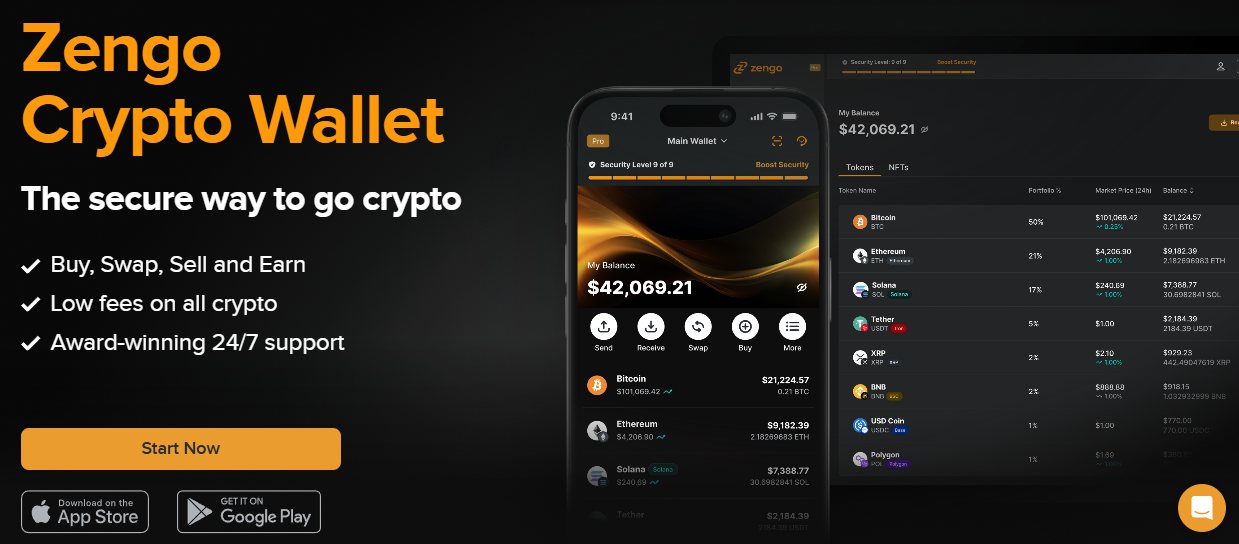
Zengo removes seed phrases entirely and distributes key management between your device and company servers through MPC technology. The system solves the biggest problem most beginners face by eliminating the fear of losing a 24-word backup that can never be recovered.
When you create an account, the wallet generates two secret shares. One stays encrypted on your device while the other sits on Zengo’s servers. Both shares must work together to sign every transaction, which means neither Zengo nor a thief with your phone can move your assets alone.
Security goes even further with ClearSign, which flags risky transactions and scam contracts before you approve them. Recovery takes minutes instead of hours. You verify your identity through biometric 3D FaceLock and email confirmation on a new device, then regain full access without scrambling to find backup words.
| 📱 Type | Hot Wallet (Mobile App) |
| 🔒 Security Model | MPC technology with no seed phrase required |
| 💰 Price | Free (Pro features require subscription) |
| 🪙 Coins Supported | 380+ cryptocurrencies across major chains (also some L2 networks) |
| 🎯 Best For | Beginners who find seed phrases intimidating and want professional security without complexity |
| ✅ Pros | • The wallet combines biometric FaceLock, email verification, and device authentication for triple protection • Zero successful hacks since 2018 proves the MPC security model works • The interface guides beginners through each step without technical jargon |
| ❌ Cons | • No desktop application exists, so you manage everything through mobile only • You cannot access your wallet if Zengo’s servers go offline or shut down • Zengo stores one key share on their servers, which creates dependency on their infrastructure |
Zengo Wallet Rating
CoinNews rates Zengo with a 9/10 for its MPC security model and clean track record with zero successful hacks since launch. The score drops slightly because advanced security features need a paid subscription, the platform offers no desktop option, and wallet operations depend entirely on Zengo’s server availability.
Google Play Store users give Zengo a 4.1/5 rating across 10,000 reviews. Users frequently highlight the intuitive interface and responsive support team that resolves issues quickly. Some users note occasional sync delays, but transaction speed remains consistently fast once connected.
4. Cypherock X1 Wallet – Seedless Hardware With Distributed Key Shards
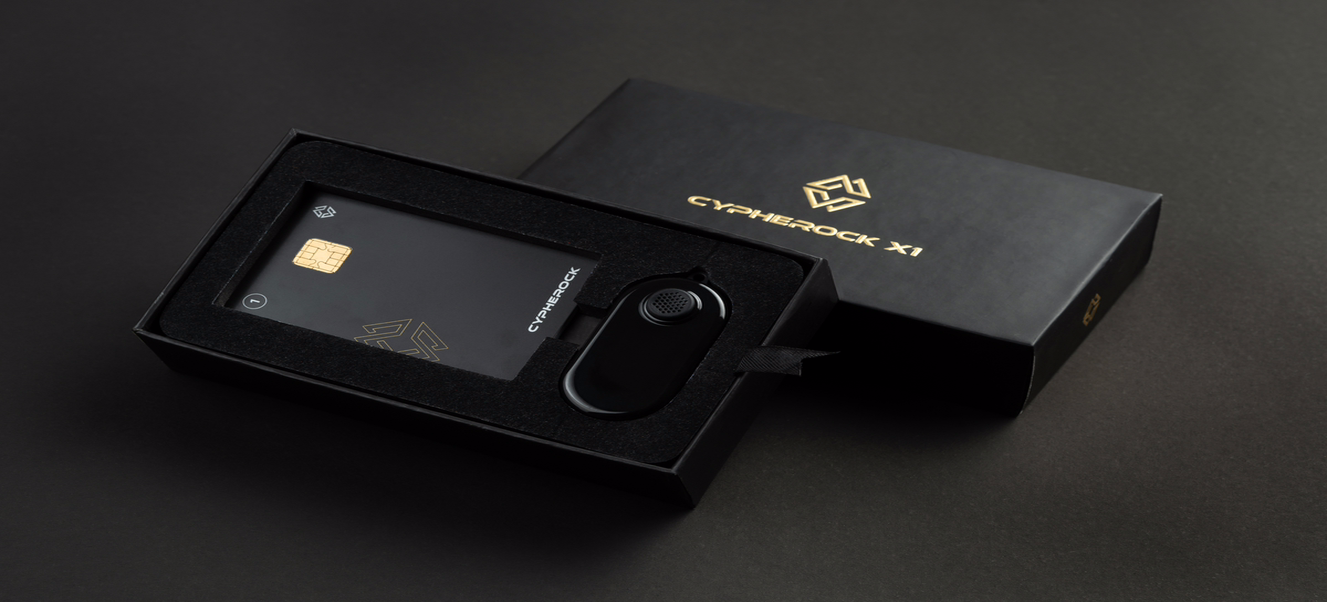
Cypherock X1 removes seed phrases completely and splits your private key into five separate pieces through Shamir’s Secret Sharing algorithm. The X1 Vault device holds one piece, while four physical X1 Cards each store another piece. You can keep these cards in different spots, like your home safe, a bank deposit box, or with family members you trust.
You need the X1 Vault and any single card to access your wallet or sign transactions. No individual piece contains enough data to steal your funds, which protects you from the biggest risk traditional wallets face when someone finds your written backup phrase.
Cypherock sells three different packages. Basic gives you the vault plus two cards, Standard includes four cards for extra security, and Pro adds priority support on top of everything. The vault comes with a small OLED screen that shows transaction details before you confirm, and the CySync app tracks your portfolio across all supported coins.
| 📱 Type | Hardware Wallet (Cold Storage) |
| 🔒 Security Model | Shamir Secret Sharing with 5 distributed key shards (EAL6+) |
| 💰 Price | $129 (Basic) $209 (Standard) $249 (Pro) |
| 🪙 Coins Supported | 9,000+ tokens and NFTs across multiple blockchains |
| 🎯 Best For | High-value holders who want backup redundancy and inheritance planning flexibility |
| ✅ Pros | • You can store backup cards in different physical locations, like home, bank, and with family • Independent security audits verify the open-source code that anyone can review publicly • The multi-card system protects your funds even if thieves steal one or two cards |
| ❌ Cons | • No Bluetooth connectivity means you must physically connect the vault to your device every time • The plastic construction feels less premium compared to metal-bodied competitors |
Cypherock X1 Wallet Rating
CoinNews rates Cypherock X1 with a 9.5/10 because its Shamir Secret Sharing eliminates single points of failure and delivers true backup redundancy across multiple locations. The high score reflects innovative security design, even though users must manage several physical components and navigate a steeper learning curve than traditional wallets.
Amazon customers rate Cypherock between 3.8 and 4.6 out of 5 stars across regions. Reviewers praise easy setup, sleek design, and freedom from paper seed phrases. On the downside, some criticize the plastic construction as less premium than metal competitors like Ledger and Trezor.
5. Tangem Wallet – Anonymous Hardware Wallet in a Smart Card
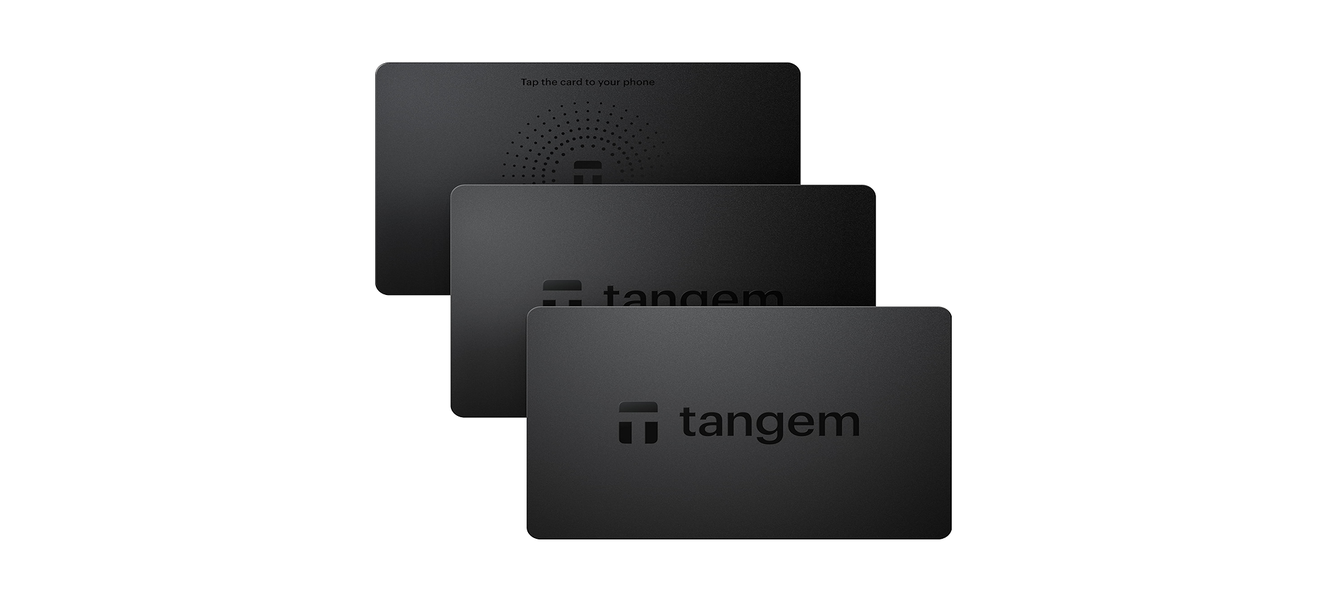
Tangem has built a strong reputation in portable crypto security, with thousands of users who carry their wallets like regular credit cards. The flagship Tangem Wallet 2.0 fits cold storage into a card that slips into your physical wallet and works with a quick tap on your smartphone. The secure chip creates your private key on the card during setup, and that key never leaves.
The wallet comes in 2-pack or 3-pack sets that copy your key to all cards. If you lose one, the others still give you full access without seed phrases. You can enable BIP39 backup if you prefer traditional recovery.
For people who prefer wearable security, the company also makes the Tangem Ring. This ring version uses scratch-proof ceramic and taps against your phone just like the card does. Both formats survive water, dust, extreme heat, and airport X-rays, which makes them ideal for travelers who need cold storage they can actually carry everywhere.
| 📱 Type | Hardware Wallet (NFC Card) |
| 🔒 Security Model | Samsung EAL6+ Secure Element with tap-to-sign |
| 💰 Price | $54.90 (2-card) $70 (3-card) $150 (Ring and 2 cards) |
| 🪙 Coins Supported | 16,000+ tokens across 91 blockchains |
| 🎯 Best For | Users who prioritize portability and want cold storage that fits in a physical wallet |
| ✅ Pros | • Transactions complete with a single tap against your phone in seconds • The multi-card setup protects you even if you lose or damage one card • You never need to charge the card or connect any cables to use it • No seed phrases to write down or store in a safe location |
| ❌ Cons | • You must buy all backup cards upfront because the system locks after initial setup • The tap-to-sign process feels unfamiliar if you’re used to button-based hardware wallets |
Tangem Wallet Rating
CoinNews rates Tangem with a 9/10 for its credit card form factor that survives extreme conditions and delivers cold storage without batteries or cables. The score accounts for the lack of an on-device screen for transaction verification and the requirement for NFC-enabled smartphones to operate.
Trustpilot shows a 4.1/5 rating based on more than 800 user reviews. Most positive feedback highlights the quick setup process and impressive durability that holds up in daily use. On the other hand, negative reviews mention slow customer support response times and technical problems with third-party crypto purchase services.
6. Trezor Safe 5 – Open-Source Pioneer With Premium Security
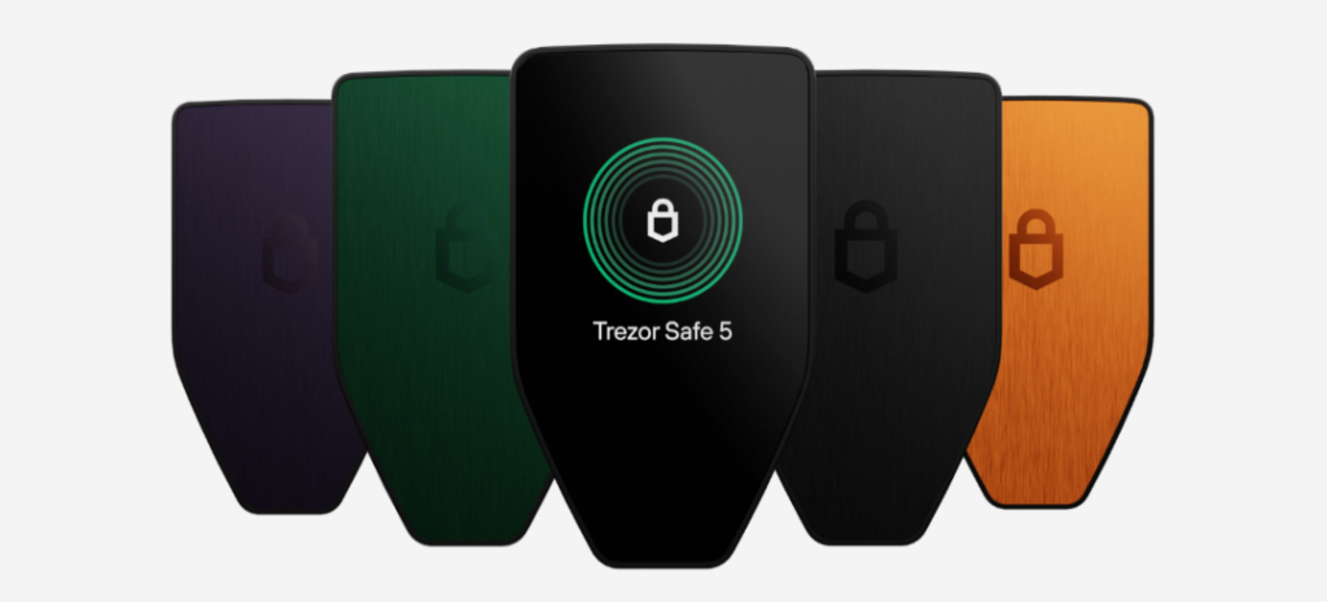
Trezor Safe 5 represents the sweet spot in the lineup from the company that invented hardware wallets in 2014. The device combines an EAL6+ Secure Element with fully open-source firmware that anyone can verify. While Trezor recently launched the flagship Safe 7 with Bluetooth and wireless charging, the Safe 5 delivers the same core security at a better price.
The NDA-free designation means researchers can audit the code without restrictions. The complete firmware sits on GitHub for public review. A 1.54-inch color touchscreen with haptic feedback and Gorilla Glass 3 makes navigation intuitive.
Additionally, Safe 5 supports Multi-share Backup through SLIP39, which splits your recovery seed into multiple shares you store in different locations. Trezor also offers the Safe 3 with buttons, the touchscreen Model T, and the budget Model One from 2014.
| 📱 Type | Hardware Wallet (Cold Storage) |
| 🔒 Security Model | NDA-free EAL6+ Secure Element with open-source firmware |
| 💰 Price | $169 |
| 🪙 Coins Supported | 9,000+ cryptocurrencies and tokens |
| 🎯 Best For | Security-conscious users who value transparency and want independently verifiable protection |
| ✅ Pros | • The EAL6+ certification represents the highest security standard available for consumer hardware wallets • Multi-share Backup splits your seed into multiple pieces you can store in separate secure locations • The 1.54-inch color touchscreen with haptic feedback makes navigation smoother than button-based wallets |
| ❌ Cons | • iOS users cannot access the full Trezor Suite app and must use limited web-based features • The device feels bulkier than compact card-style wallets when you carry it daily • Setup takes longer than plug-and-play options because of the detailed security configuration |
Trezor Safe 5 Rating
CoinNews rates Trezor Safe 5 with an 8/10 for its fully open-source firmware and NDA-free EAL6+ security that any researcher can verify independently. The score reflects premium pricing, lack of Bluetooth connectivity, and limited iOS app features that restrict mobile users.
Professional security experts and everyday users give the Safe 5 ratings between 4.4 and 4.8 out of 5 stars across platforms like Amazon and Best Buy. Most reviews praise the transparent code and robust security features. However, some users note the higher price compared to closed-source alternatives with similar functionality.
7. SafePal S1 Wallet – Budget Air-Gapped Cold Storage
SafePal S1 delivers true air-gapped security at a price that undercuts most competitors by half. The device never connects to WiFi, Bluetooth, NFC, or USB, which means malware cannot reach it through any wireless or wired channel. Instead, you scan QR codes between the device screen and your phone camera to move transaction data back and forth.
Binance Labs invested in SafePal early, which adds credibility to the budget-priced brand. The wallet generates your private key through a true random number generator, while security sensors monitor for physical tampering.
If someone tries to crack open the case, the self-destruct mechanism triggers automatically and wipes all data immediately. Your private key disappears permanently, which protects you even if thieves steal the device. The SafePal app handles portfolio tracking, swaps, staking, and DeFi access while the hardware stays completely offline.

| 📱 Type | Hardware Wallet (Air-Gapped) |
| 🔒 Security Model | EAL5+ chip with QR-code-only communication |
| 💰 Price | $49.99 |
| 🪙 Coins Supported | 30,000+ tokens across 100+ blockchains |
| 🎯 Best For | Budget-conscious users who want genuine cold storage without premium wallet prices |
| ✅ Pros | • You get complete offline security that never connects to any network for under $50 • Binance Labs’ backing adds credibility and ensures consistent development support • QR code communication prevents any malware from ever reaching your private keys |
| ❌ Cons | • You must scan QR codes for every transaction, which takes longer than USB or Bluetooth connections • You depend entirely on the SafePal app ecosystem and cannot use the device with other wallet software • The plastic construction feels less durable compared to metal-bodied competitors like Ledger |
SafePal S1 Wallet Rating
CoinNews rates SafePal S1 with a 9.5/10 because it delivers genuine air-gapped security through QR codes at an entry-level price point. The wallet earns top marks for budget cold storage, though the QR workflow adds extra transaction steps, and the smaller screen makes address verification harder than premium devices offer.
Users give SafePal strong ratings of around 4.7/5 stars on the App Store. Most reviews highlight the affordable price and true air-gap protection as major wins. Some mention occasional connectivity issues between the app and the device when QR codes fail to scan properly, though these cases remain relatively rare.
8. Ellipal Titan 2.0 Wallet – Air-Gapped With a Smartphone Feel
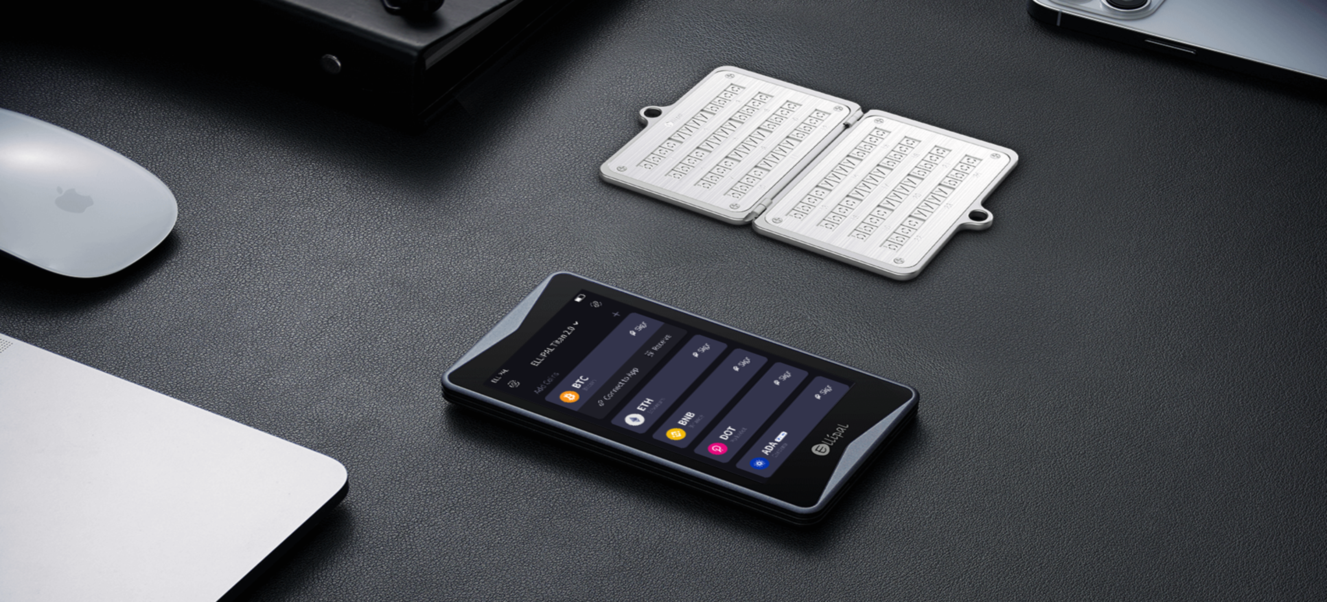
Ellipal Titan 2.0 combines a 4-inch touchscreen with air-gapped security inside a fully metal-sealed body that feels like a small smartphone. It never connects to WiFi, Bluetooth, or USB, which keeps your private keys isolated from internet threats. You scan QR codes between the device screen and your phone camera to transfer transaction data.
The company pioneered this air-gapped approach in 2019 and has refined the Titan 2.0 with faster touch response and a larger display. If someone tries to pry open the case, anti-disassembly sensors trigger immediately and wipe all data before an attacker can extract anything.
WalletConnect integration lets you interact with DeFi protocols while keys stay locked offline. You scan a QR code and manually approve each transaction, which gives you full control without online exposure.
| 📱 Type | Hardware Wallet (Air-Gapped) |
| 🔒 Security Model | CC EAL5+ chip with fully metal-sealed construction |
| 💰 Price | $169 |
| 🪙 Coins Supported | 10,000+ tokens across 46 blockchains |
| 🎯 Best For | DeFi-active users who want offline key storage with a premium touchscreen experience |
| ✅ Pros | • You can access thousands of DeFi protocols and NFT marketplaces through WalletConnect integration • The 4-inch touchscreen makes transaction verification easier than small-screen hardware wallets • Complete air-gap isolation keeps your keys safe from any wireless or internet-based attacks |
| ❌ Cons | • The 140-gram weight makes it bulkier to carry daily compared to card-style wallets • QR code scans add 20-30 seconds to each transaction versus instant USB or Bluetooth connections • The $169 price point costs more than budget air-gapped options like SafePal S1 |
Ellipal Titan 2.0 Rating
CoinNews rates Ellipal Titan 2.0 with an 8.6/10 for its 4-inch touchscreen that brings smartphone-like usability to air-gapped security. The score accounts for the $169 price point and 140g weight, which positions it between budget air-gapped devices and flagship hardware wallets.
Amazon customers give Ellipal Titan an average rating of 4.2/5 stars. Users consistently praise the large screen and durable metal construction as standout features. At the same time, several reviews mention that the QR code workflow demands extra patience when you complete frequent transactions throughout the day.
Community’s Top Crypto Wallet Picks Right Now
Before we proceed to our top pick reviews, this selection is based on community feedback, user reviews, and active usage across crypto forums. These are the 15 wallets that real users trust most in 2026.
| 💳 Wallet | 📱 Type | 🔑 Key Feature |
|---|---|---|
| 1. Best Wallet | Hot Wallet (Mobile) | No KYC Multi-chain |
| 2. Margex Wallet | Hot Wallet (Mobile) | Trading Integration |
| 3. Zengo | Hot Wallet (Mobile) | No Seed Phrase |
| 4. Cypherock | Hardware (Cold) | Distributed Keys |
| 5. Ledger Stax | Hardware (Cold) | Premium Design |
| 5. Tangem | Hardware (Card) | Card Format |
| 7. Ellipal | Hardware (Air-Gapped) | Full Air-Gap |
| 8. Trezor | Hardware (Cold) | Open-Source |
| 9. Binance Wallet | Hot Wallet (Exchange) | Exchange Integration |
| 10. OKX Wallet | Hot Wallet (Exchange) | Exchange Integration |
| 11. ByBit Wallet | Hot Wallet (Exchange) | Exchange Integration |
| 12. Blockstream Jade | Hardware (Cold) | Bitcoin Focus |
| 13. Ngrave | Hardware (Air-Gapped) | Highest Security |
| 14. Coldcard | Hardware (Cold) | Bitcoin-Only |
| 15. SecuX | Hardware (Cold) | Affordable Hardware |
Not finding what you need? Here are more wallet options with different approaches to security and usability.
What Are Cryptocurrency Wallets?
A cryptocurrency wallet is a software program or physical hardware device that securely stores, sends, and receives digital assets. Each type offers unique features and different security systems.
Many people think crypto wallets “hold” their coins, but this isn’t true. Your coins actually exist on the blockchain, a decentralized record of all crypto transactions. What the wallet stores are your private keys. These are secret codes that give you access to your assets on the chain. When you enter your private key, you can move, sell, or trade your crypto however you want.
You need to match security to your actual use case when you select a wallet type. The same person often requires different wallets for different purposes.
🔍CoinNews insight: Cryptocurrency theft surged past $3.4 billion in 2025. Crypto investors need a reliable and secure wallet. Without proper protection, your digital assets remain vulnerable to hackers and scammers who grow more sophisticated each day.
Hot Wallets vs. Cold Storage
🔥 Hot wallets stay connected to the internet, which makes them perfect for quick transactions and DeFi access. Software wallets like Best Wallet or Zengo fit this category. You get convenience, but you also face online threats like phishing, malware, and hacks. Think of hot wallets as your everyday spending account where you keep amounts you’re comfortable using regularly.
❄️ Cold wallets never go online. Hardware devices like Ledger, Trezor, and Tangem store your private keys in physical isolation. Hackers can’t touch keys that never connect to a network. These work like your savings vault, where you store crypto you plan to hold long-term.
Who Controls Your Private Keys?
🤝 Custodial wallets let a third party hold your keys. The platform controls access to your funds when you use exchange wallets from Coinbase or Binance, which works well for beginners who want simplicity. However, you take on real risk with this setup. If the exchange fails, freezes accounts, or gets hacked, you can’t access your crypto because you never controlled it in the first place.
🗝️ Non-custodial wallets put the keys directly in your hands, and every wallet we review in this guide gives you full control. You carry full responsibility for your backup phrase with this approach. You lose your funds permanently if you lose that phrase. However, you gain complete freedom in return. No company can freeze your account, no bankruptcy can wipe you out, and you never need permission to move your money.
Software Applications vs. Hardware Devices
💻 Software wallets run on your phone, browser, or computer and create keys on devices that connect to the internet. This makes them vulnerable but incredibly convenient for daily use. Use them for smaller amounts you actively trade or spend, not for your entire portfolio.
💾 Hardware wallets are physical devices built specifically to protect your keys. They use secure chips, sign transactions offline, and run dedicated firmware that blocks attacks at multiple levels. This is the safest option for serious holdings you want to protect long-term.
Key Concepts Explained
To fully grasp the wallet reviews above, you need to understand a few core distinctions that affect how you use and secure your crypto.
Anonymous vs. Decentralized
People often confuse these terms, even though they refer to completely separate aspects of wallet design.
🔀 Decentralized wallets give you direct access to blockchain networks without intermediaries. MetaMask operates this way and lets you manage assets independently. No central authority can block your transactions or lock you out.
👤 Anonymous wallets address a different concern and focus on how traceable you are as a user. These wallets don’t require personal documents to set up, which feels private. However, blockchains publish every transaction in a permanent and searchable record list.
The “Hybrid” Setup
Advanced users often combine different security models to get both protection and flexibility. They store private keys on a Ledger device that never goes online, yet still connect that Ledger to MetaMask when they want to use DeFi protocols. MetaMask acts as your window into Web3 apps and prepares the transaction details, while the Ledger reviews and approves each action in its protected environment.
This combination delivers practical benefits. Your sensitive key material stays locked in hardware while you access yield farms, token swaps, and NFT marketplaces through familiar software. You get cold storage security without the need to sacrifice usability. Your assets stay protected by hardware-level standards, and simultaneously you can interact with any decentralized application.
| 💼 Wallet Type | 📂 Category | 🔐Custody | 🌐Internet Connectivity | 📌 Example |
|---|---|---|---|---|
| Exchange Wallet | Software | Custodial | Hot | Coinbase, Binance Wallet, OKX Wallet, ByBit Wallet |
| Mobile Wallet | Software | Non-Custodial | Hot | Best Wallet, Zengo, Trust Wallet, Margex Wallet |
| Browser Extension | Software | Non-Custodial | Hot | MetaMask, Phantom, Coinbase Wallet |
| Desktop Wallet | Software | Non-Custodial | Hot | Exodus, MetaMask |
| Hardware Wallet | Hardware | Non-Custodial | Cold | Ledger Nano X, Ledger Stax, Trezor Safe 5, Tangem, Cypherock X1, Ellipal Titan 2.0, SafePal S1, Coldcard, Blockstream Jade, Ngrave, SecuX |
| Paper Wallet | Physical | Non-Custodial | Cold | Printed QR codes |
How Do Crypto Wallets Work?
A crypto wallet doesn’t actually store coins. Your Bitcoin or Ethereum lives on the blockchain as a record of ownership. Instead, the wallet stores your private key, which acts as cryptographic proof that you control a specific address. When you send crypto, your wallet uses that private key to sign the transaction and prove you authorized it.
Two cryptographic keys make this system work. The wallet creates a public address where others send funds to you and a private key that authorizes outgoing transactions. You lose the ability to move your assets if you lose the private key. Even worse, someone who gets your private key can drain your funds completely.
Recovery phrases solve the private key vulnerability and turn it into human-readable words. Most wallets use the BIP39 standard and create 12 or 24 words that can rebuild your entire wallet on any compatible device. This backup lets you recover your wallet, but also creates risk because anyone with your seed phrase controls your funds.
Best Cold Wallets for Crypto: Maximum Security
Cold wallets keep your private key completely isolated from internet-connected environments. The Ledger Nano X, Trezor Safe 5, Tangem, Cypherock X1, SafePal S1, and Ellipal Titan 2.0 all work this way.
While all cold wallets share this offline principle, they differ in key ways. They differ in how they connect (USB, Bluetooth, NFC, or fully air-gapped through QR codes) and how they back up your keys (seed phrases, split key shares, or card-based systems). The core principle stays the same across all of them: your keys never go online.
Best Hot Wallets & Crypto Wallet Apps (Convenience & DeFi)
Hot wallets like Best Wallet and Zengo trade maximum security for ease of use. They work best for active trading, DeFi projects, and daily transactions. Keep smaller amounts here for funds you move regularly, not crypto you want to hold for years.
To compensate for online exposure, modern hot wallets add features like MPC key management, transaction simulation, and scam detection to improve safety. These protections help, but they still can’t match the physical isolation you get from cold storage.
Best Crypto Wallets for Beginners 2026
First-time users should balance security with simplicity because a wallet that frustrates you won’t get used properly. Zengo stands out because it gets rid of seed phrases entirely. Tangem offers cold storage without the technical headaches, and Best Wallet gives you an easy mobile experience with built-in swaps.
Start with smaller amounts while you learn the basics. Practice simple sends and receives to get comfortable with how it works. Make sure you understand what a seed phrase does before you store any serious money. Once you master wallet basics, explore the best crypto presales to find early investment opportunities. You can move to more advanced options as you learn more and your holdings grow.
How Safe Are Crypto Wallets?
Wallet security depends on both the technology and your behavior. A hardware wallet becomes worthless if you store the seed phrase in your email. A hot wallet with MPC can be safer than a Ledger if you photograph the recovery card and leave it exposed.
People often confuse anonymity with security, but they protect different things. Anonymity hides your identity. Security protects your funds from theft through strong key management. A no-KYC wallet gives you privacy but doesn’t make your crypto safer.
Here are the most common threats and how to protect against each one:
| ⚠️ Risk Type | 💡 What It Is | 🛡️ How to Protect Yourself |
|---|---|---|
| SIM Swaps | Attackers port your phone number to intercept 2FA codes | Use authenticator apps instead of SMS, and enable carrier PIN protection |
| Phishing | Fake websites capture credentials or seed phrases | Verify wallet downloads through official sites and checksums, bookmark legitimate URLs |
| Malware | Compromised devices leak keys or modify transaction destinations | Keep your device updated with screen locks and antivirus software, and consider hardware wallets |
| Supply Chain Attacks | Tampered devices arrive with backdoors pre-installed | Buy directly from manufacturers, check tamper-evident seals, and prefer open-source and audited wallets |
| Social Engineering | Fake support agents extract sensitive information | Never share recovery phrases with anyone who claims to offer support, verify contacts independently |
| Seed Phrase Loss/Theft | Physical backup gets compromised or destroyed | Store seed phrases offline on metal plates in separate secure locations |
| Large Holdings Risk | Single point of failure for significant funds | Use multi-sig or hardware wallets for large holdings |
Pros & Cons of Storing Coins in Crypto Wallets
Self-custody gives you complete control, but it also puts all responsibility on your shoulders. You get freedom from exchanges and full access to DeFi, but you take on risks that catch unprepared users. Here’s what you gain and what you give up.
Pros
-
Full control over your funds
-
No counterparty risk from exchanges
-
Better privacy without KYC
-
Access to DeFi protocols
-
Works globally without restrictions
Cons
-
No recovery if you lose your seed phrase
-
All security responsibility falls on you
-
Higher complexity to manage
-
Hardware wallet costs add up
-
Mistakes are permanent and irreversible
Self-custody isn’t for everyone, and that’s okay. The freedom to control your own assets comes with real responsibility. If you’re not ready to manage seed phrases and verify every transaction, there’s no shame in starting with a trusted exchange until you build that knowledge. The goal is to protect your crypto, not to prove a point about decentralization.
How to Use a Crypto Wallet
Once you choose a wallet, you need to know how to actually use it for everyday transactions and keep your activity private.
Step 1: Acquire Crypto Without KYC
Peer-to-peer platforms, decentralized exchanges, and Bitcoin ATMs let you buy crypto without identity verification. Each method comes with trade-offs you need to consider. P2P deals depend on trust between buyers and sellers, DEXs need you to already have crypto for fees, and ATMs charge extra above normal prices.
Step 2: Network Hygiene (VPN, Tor, Device Isolation)
Route your traffic through a VPN or Tor to hide your IP address. Use a separate device just for crypto that stays away from your daily browsing and social media. Keep that device clean with a few apps, no sketchy downloads, and up-to-date software at all times.
Step 3: On-Chain Privacy Tools (CoinJoin, Mixers, Privacy Coins)
CoinJoin mixes multiple users’ transactions together to hide the link between sender and receiver. Mix services do the same thing through pooled transactions. Privacy coins like Monero build anonymity right into how they work, though regulations have made them harder to find on exchanges.
Step 4: Send Crypto Privately
Create fresh addresses for each transaction and never reuse old ones. Use wallets that support coin control, which lets you pick which UTXOs fund a transaction. These habits make it much harder for anyone to track your activity on the blockchain.
Step 5: Private Trading (DEX, P2P, No-KYC Swaps)
Decentralized exchanges like Uniswap or Raydium don’t ask you to create an account. You connect your wallet, approve the transaction, and make the swap directly. P2P marketplaces let you trade straight with other people without a middleman. Both options help you avoid centralized platforms that track and log what you do.
Step 6: Private Off-Ramping
You hit real problems when you try to convert crypto to cash privately. P2P sales, Bitcoin ATMs with high limits, and crypto debit cards give you some options. Most choices force you to pick between ease of use, cost, and privacy since you rarely get all three at once.
Hardware vs. Software Wallets
The fundamental trade-off comes down to convenience versus security.
Hardware wallets keep private keys in dedicated devices that never touch the internet. Transactions require physical confirmation on the device itself, which means attackers can’t remotely access your keys. The cost ranges from $50 to $200+, and this represents a worthwhile investment when you hold significant amounts.
Software wallets run as apps on internet-connected devices. They offer instant access, smooth DeFi integration, and zero hardware cost to start. This convenience comes with exposure, though. Keys live on machines that stay exposed to malware, phishing, and exploits. MPC wallets reduce some risk, but hot storage always exposes more ways to attack.
Risks, Legal Considerations & Limitations
Self-custody brings real freedom, but it also comes with legal obligations and practical risks you need to understand.
📜 Regulatory Environment: Self-custody remains legal throughout the United States, and no law requires you to use custodial services. However, tax obligations persist regardless of how you store your crypto. Capital gains, airdrops, and staking rewards create reportable events. Anonymous wallets don't exempt you from self-reporting requirements.

🗺️ Jurisdictional Variance: Laws differ dramatically across borders. Some countries restrict or ban cryptocurrency entirely, while others require you to report foreign accounts above certain thresholds. Know your local regulations before you assume privacy protections apply.

🔧 Technical Risks: Perfect wallet security still leaves you exposed to protocol failures. Smart contract bugs, bridge exploits, and protocol failures can drain funds even when your wallet security stays perfect. Self-custody protects against exchange failure but not against every DeFi risk.

🚨 Physical Risks: The hardware itself creates tangible vulnerabilities. Hardware wallets can get lost, stolen, or destroyed. Seed phrase backups can burn, flood, or degrade over time. You need multiple backups in multiple locations, ideally with Shamir splits or multi-card schemes.
CoinNews Methodology: How We Build Our Ranking of Crypto Wallets
We evaluate wallets across these weighted dimensions:
➡️ 1. Security Architecture (30%): What protections does each wallet actually have? Secure elements, air-gapped designs, MPC key management, and tamper resistance all factor into the score. Open-source code and independent security audits earn higher rankings.
➡️ 2. Supported Assets (15%): The number of cryptocurrencies and blockchains matters because broad coverage means you need fewer wallets to manage your portfolio. Once you secure your wallet setup, check our guide to the best cryptos to invest in to build a diversified portfolio across these chains.
➡️ 3. User Experience (15%): Setup needs to feel straightforward, and the interface should guide you toward safe practices. Complex designs lead to costly mistakes that drain your funds.
➡️ 4. Price and Value (10%): The cost should match what you actually get. Premium pricing needs to deliver clear benefits that justify the extra expense.
➡️ 5. Track Record (15%): Past breaches matter, but the response matters even more. A company’s history shows how reliable they are when problems hit.
➡️ 6. Recovery Options (10%): Seed phrases, Shamir shares, and MPC recovery each come with different trade-offs. The method needs to match your technical comfort level and security requirements.
➡️ 7. Feature Set (5%): Support for staking, swaps, NFTs, and DeFi protocols adds value when you want an all-in-one solution instead of multiple apps.
‼️ Our team conducts hands-on tests with each wallet, reviews independent security audits, and monitors community feedback across forums and social media. These rankings reflect informed judgment based on real testing, not paid placement.
Glossary of Terms About Crypto Wallets
Core terms come up all the time when you work with crypto wallets, so you need to know what they mean to keep your funds safe.
- Seed Phrase (Recovery Phrase): Your 12-to-24 word backup brings back your entire wallet on any device. Also called mnemonics or a backup phrase.
- Public Address: Account number where people send you funds, just like your bank account number. You can share it with anyone safely.
- Private Key: A digital pass that lets you spend money from your wallet. Never give it to anyone for any reason.
- Non-Custodial: Wallets that put you in control of keys instead of a company that holds them for you. Also called self-custody or decentralized wallets.
- Air-Gapped: Cold wallets that stay completely offline and never talk to other devices. QR codes or NFC move information without any internet connection.
- MPC (Multi-Party Computation): Technology that splits your private keys across several parties so no single person holds the whole thing. It removes seed phrase risks completely.
- Secure Element: Special chips made just for crypto tasks and key storage block physical attacks, even when someone steals your device.
- Shamir Secret Sharing: This is a method that cuts secrets into several pieces, where any certain number of pieces can put the original back together. Wallets use it to spread backups across different spots.
Alternative Crypto Wallets
Several alternatives deserve mention based on their popularity and specific use cases, besides the eight reviewed wallets.
📍MetaMask: The dominant browser extension wallet for Ethereum and EVM chains works well for DeFi and dApp connections. It’s free and widely supported across platforms, but it lacks mobile-friendliness and advanced security features that hardware wallets provide.
📍Trust Wallet: Binance backs this mobile wallet and offers broad chain support that covers most major networks. It works well for beginners who want a simple setup, but the closed-source code means you can’t verify the security independently.
📍Exodus: Desktop and mobile versions come with a polished interface that makes crypto management feel intuitive. The built-in exchange adds convenience, but closed-source development and no hardware integration limit security options.
📍Phantom: Originally built for Solana, this wallet now supports multiple chains and offers a clean design that handles NFTs well. Hot wallet risks still apply since keys stay on internet-connected devices.
📍Coinbase Wallet: Separate from the Coinbase exchange, this non-custodial wallet provides good multi-chain support for various networks. It ties closely to the Coinbase ecosystem, which adds convenience but creates some dependency on their infrastructure.
Final Verdict
No single wallet works for everyone because your needs depend on what you hold, how often you trade, and how much risk you can handle.
Best Wallet earns our top recommendation for its balance of security, ease of use, and multi-chain support. Zengo works well if you want to skip seed phrases entirely, while Ledger Nano X delivers cold storage protection for serious holdings.
The smartest move uses both types together. Keep money you trade actively in a hot wallet for quick access, and lock long-term holdings in cold storage where hackers can’t touch them.
Your security budget should match your portfolio size. A $150 hardware wallet makes sense when it protects thousands in crypto. Pick what you actually need based on how you use crypto, not what sounds most secure on paper.
FAQs About Cryptocurrency Wallets
Which crypto wallet is best for holding long-term?
Cold storage wins for long-term holdings. Hardware wallets like Ledger Nano X, Trezor Safe 5, or Cypherock X1 keep private keys offline, where remote attackers can’t reach them. For amounts worth significant money to you, the one-time hardware cost represents essential insurance.
What is the best crypto wallet right now?
It depends on your priorities. For security purists, Trezor Safe 5 offers open-source transparency with EAL6+ protection. For beginners, Zengo removes seed phrase stress. For active traders, Best Wallet combines DeFi access with no-KYC operation. For budget-conscious users, SafePal S1 delivers air-gapped security under $50.
Are decentralized wallets safer?
Decentralized wallets remove custodial risk, so no exchange collapse can touch your funds. However, they shift all responsibility to you. You lose your seed phrase, and no one can recover your assets. The safety comparison depends on whether you trust yourself more than institutions.
Which crypto wallet is best in the USA?
All wallets reviewed here function in the United States without restriction. For tax integration, Exodus and Coinbase Wallet offer reporting tools. For regulatory simplicity, established brands like Ledger and Trezor provide clear compliance. Self-custody remains fully legal.
Is it legal to use anonymous wallets in the US?
Yes, no law requires identity verification for wallet use. However, tax reporting obligations remain in place. You must report capital gains regardless of which wallet holds your assets. An anonymous operation protects privacy, not tax liability.
Can I lose my crypto if the wallet company goes bust?
It depends on the custody type. With custodial wallets like exchange accounts, the company holds your keys, and its bankruptcy can freeze your access. With non-custodial wallets, your keys exist independently. The company could vanish entirely, and your funds remain accessible through your seed phrase or backup.
What is the best wallet for XRP?
Xaman (formerly Xumm) provides native XRP Ledger support with trust line management and DEX access. Hardware wallets like Ledger and Trezor also support XRP for cold storage.
Consulted References
Bitcoin.org: Choose Your Bitcoin Wallet
U.S. Securities and Exchange Commission (SEC): Crypto Asset Custody Basics for Retail Investors
Kraken Learn / Kraken.com: Custodial vs Non-Custodial Wallets
Revolut: What Is a Crypto Wallet and How Cold Wallets Work
Kaspersky: Crypto Wallets Explained: Hot Wallet vs. Cold Wallet vs. Hardware Wallet